The MCP server
Thirty-odd tools over stdio: list, create, move, tag, comment, close, sync. One server per agent session, each under its own board name, so the log reads "claude/oskar moved it", not yours.
Issue tracking as code: Git-native, local-first, in your
terminal or browser.
Replay what your agents did while you were away,
and open the diff behind every ticket.
Agents now run whole sprints unattended. Scrub the timeline to find out what moved when, who moved it, and what changed along the way.

Multi agent workflows require powerful auditing. Epiq lets you stay informed in real time, or replay the logs after the fact.
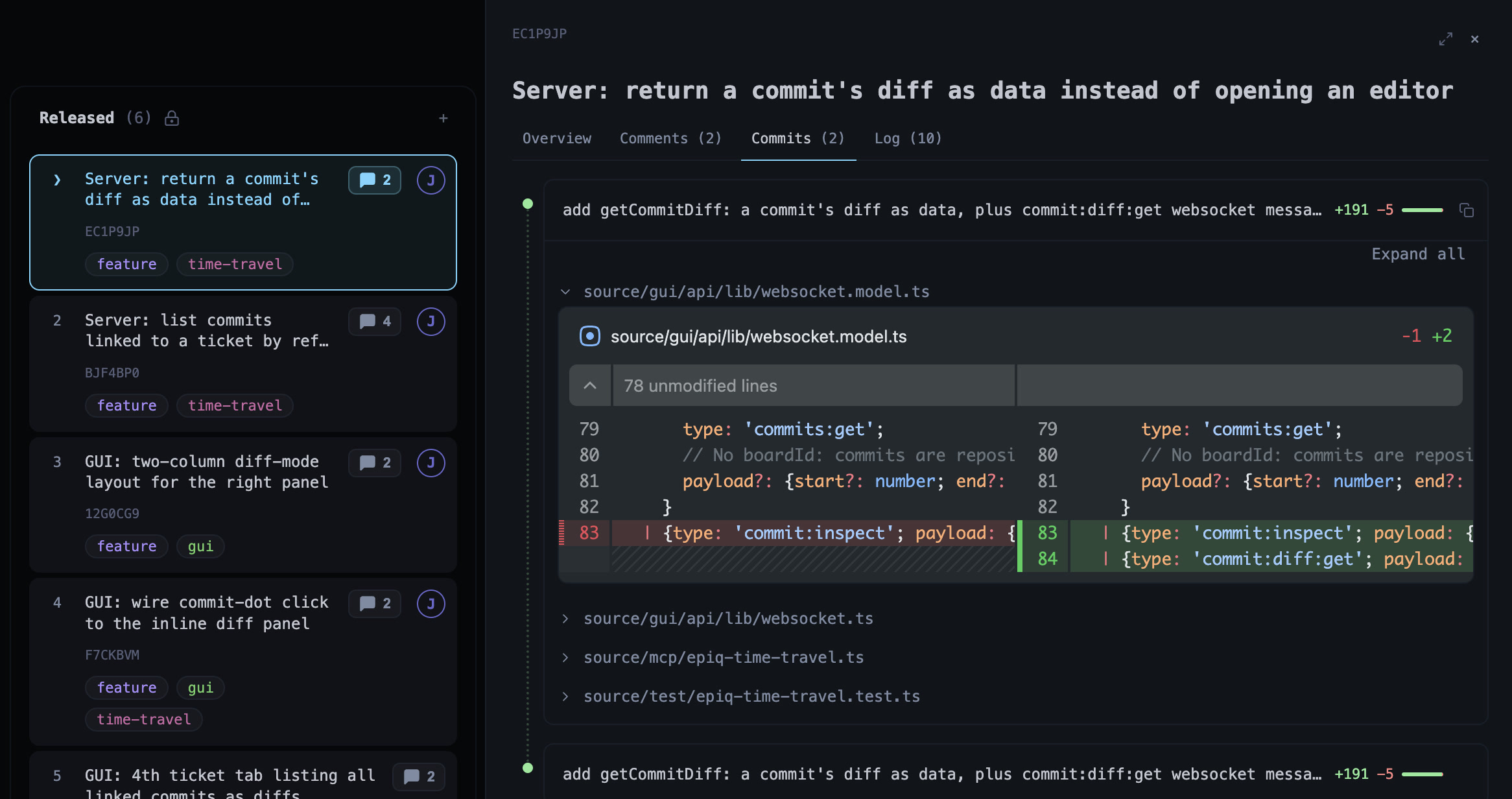
Prefix a commit with the ticket's ref and it lands in the ticket's Commits tab: diffstat, per-file diff, and a comment box on any line.
Epiq originated as a command line tool and offers a first-class terminal experience. Auto-completions and a powerful command palette make for ergonomics.
An agent works the board through the same log you do. The MCP server gives it the tools; the skill file gives it the rules.
Thirty-odd tools over stdio: list, create, move, tag, comment, close, sync. One server per agent session, each under its own board name, so the log reads "claude/oskar moved it", not yours.
Epiq ships a skill with sane defaults. Some of them: assume a name, branch in a worktree, prefix every commit with the ticket ref, close with a Solution comment, never touch the state branch.
Read the skill →Epiq optimizes for flow: keyboard navigation, command history, filters, autocompletion, and plain Git synchronization.
Navigate boards, issues, swimlanes, and contexts with vim-like movement. Or cheat with arrow keys. Or launch the browser app.
Epiq uses Git under the hood, with isolated worktrees and state branches, so teams can collaborate without another central service.
In an age where agents run whole sprints, ability to replay the board is increasingly important to stay in the loop. Inspect what happened 1h, 1 week, or one year ago.
Epiq takes its own path. Instead of a centralized, managed service, project state lives alongside your repository and travels with it.
Code, plan, review, retrospect issues without context-switching. Epiq keeps local interaction instant while allowing you to sync explicitly or automatically.
"Issue tracking should be smooth."
- probably someoneInstall the single binary, enter any Git repository, and run Epiq. The first launch opens a setup wizard.
The binary, or the npm package.
Any Git repository with a remote.
cd your-repoIn the terminal, or in the browser.
epiq
epiq guiClaude Code shown; any MCP client works. Restart the client afterwards.
Drops SKILL.md into your project, so the agent knows the workflow.
mkdir -p .claude/skills/epiq
curl -fsSL https://raw.githubusercontent.com/ljtn/epiq/main/.claude/skills/epiq/SKILL.md \
  -o .claude/skills/epiq/SKILL.md